
Getting Started with eCard Rest API
This page introduces the core concepts you need to start integrating with the eCard platform. You’ll find guidance on authentication, common workflows, and how to interact with account, transactions, and reporting endpoints.
Overview
What the API Does
The eCard REST API gives you secure, programmatic access to account management, transaction processing, and reporting. It’s designed to support partner integrations that need reliability, predictable behavior, and straightforward onboarding.
Authentication
The eCard REST API uses the OAuth 2.0 Client Credentials flow for machine-to-machine authentication. Read more on Authentication here.
The REST API relies on API keys to authenticate all API calls. Your API keys are effectively the keys to the castle, so make sure you keep them secure. Avoid sharing secret API keys in publicly accessible places like GitHub, client-side code, or anywhere that isn’t controlled and private.
All API requests must be made over HTTPS. Any request made over plain HTTP will fail.
Idempotency
The eCard API supports idempotent requests to help prevent duplicate transaction processing.
If a request is repeated within a two-hour window using the same X-Request-Id header, the following rules apply:
- If the request payload is identical, the original response will be returned.
- If the request payload is different, the request will be rejected.
Partners should generate a unique X-Request-Idfor each logical transaction and reuse it only when retrying the same request. This ensures safe retries in the event of network failures or timeouts while protecting against unintended duplicate transactions.
Minimal Required Integration
At a minimum, your integration must be able to authenticate and submit gift card transactions to eCard using the core transaction workflow.
Transaction Types
The following transaction types are required for a complete and certifiable integration.
- Activation -
- Load - Add value to a gift card
- Redeem - Redeem value from a gift card
- Balance Inquiry - Retrieve the current balance on a gift card
- We suggest using the balance inquiry call in the gift card service if you are a gift card only integration.
- Void Load - Reverse a previously completed load transaction
- Void Redeem - Reverse a previously completed sale transaction
- Void Activation - Reverse a previously completed activation transaction
- Declined Redeem - Properly handle and surface a declined sale when the requested amount exceeds the available card balance
These flows represent the complete lifecycle required for both merchant-facing and guest-facing use cases.
PIN Code Usage
For guest-facing redemption flows (such as kiosks or online ordering), PIN code verification is required.
PIN codes must be used for all guest-facing redemptions.
PIN codes are optional at the POS. Most partners do not require PIN verification in POS environments, but you may choose to enforce it if desired.
Additional transaction types and features may be implemented as needed, but are not required for initial certification.
Certification
When you have completed your development and testing work, send a message to [email protected] and let us know you are ready for certification. Make sure your work is complete before submitting — any code changes after certification will require re-certification before an integration can be enabled. Most integrations take up to three rounds of certification, so plan accordingly.
Certification is done against our sandbox environment and must be completed before production credentials will be given. The Sandbox base URL for the API is https://sandbox.platform.ecardsystems.com/api/transaction/v1
You will need to run a suite of transactions relevant to your integration. Once those are complete, supply us with the following for each transaction:
- Date and time of the transaction
- Card number used
- Transaction type
- Request from your system to eCard
- Response from the eCard system back to your system
Once we have that information, we will review and provide feedback within 48 business hours.
If you have any questions before you get started, just reply to this message. Looking forward to working with you.
Documentation Feedback
We’re continuously improving the eCard API and developer documentation, and your feedback helps us do that well. If something is unclear, outdated, or missing, we want to know. If you have ideas on how we can make the docs easier to use or more complete, share those too.
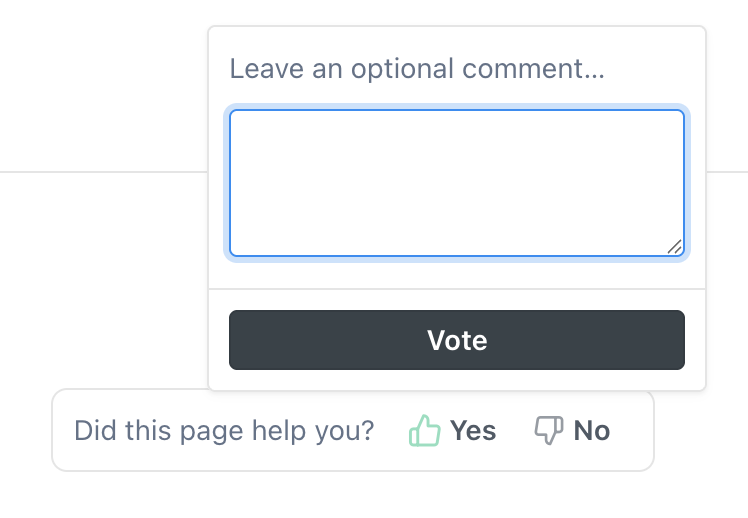
You can leave feedback directly from any documentation page by selecting the thumbs up 👍 or thumbs down 👎 option at the bottom of the page and adding your comments. Submit your feedback when you’re done.
If you’d like a response from our team, include your email address with your feedback. We’ll only use it if we need to follow up or clarify your input.
Updated 2 months ago